In most apps, a "selfie" doesn't come from any camera. The chat model writes out a description of a scene, and a different image model paints it. Everything below follows from that split, which how AI girlfriend images and voice work walks through.
Why the face keeps changing
- Every picture is a fresh start. With no anchor, the model redraws the face each time.
- The description gets reworded. When the chat model describes her a bit differently on each request, her face shifts.
- A crowded scene pushes out her identity. The more going on in the frame, the less room for details that make her recognizable.
A few apps deal with this through a fixed reference image or a model trained on the character. In my testing, Candy AI held the same face longest. If your app doesn't do this, the tips below carry more weight.
Pin down her look before anything else
Prior to requesting a single photo, write her appearance out in exact terms in the builder or description field. Loose traits like "pretty, dark hair" hand the model too much freedom. Specific ones give it something to hold on to:
| Loose | Specific |
|---|---|
| Pretty, dark hair | Straight black hair to the shoulders, with bangs |
| Nice eyes | Green eyes and thick eyebrows |
| Slim | Slim build, 5'7", athletic shoulders |
| Stylish | Often in oversized sweaters and silver hoop earrings |
Don't touch that block once it's set. When an image looks off, measure it against the block instead of editing the block to fit the image.
The five parts of a solid request
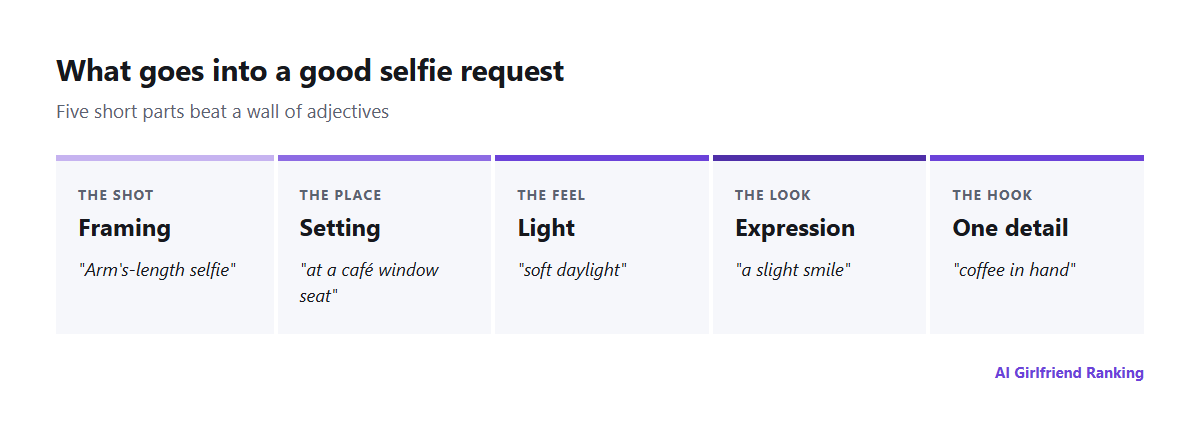
Five short parts outperform a paragraph of adjectives.
- Framing. Arm's-length selfie, mirror shot, waist-up portrait, full body.
- Setting. A window seat at a café, a kitchen late at night, a beach at dusk.
- Light. Soft window light, a warm lamp, hard flash, golden hour.
- Expression. Laughing, drowsy, focused, a slight smile.
- One detail. A coffee in hand, hair up, a rain jacket.
Something like "arm's-length selfie at a café window seat, soft daylight, slight smile, holding a coffee" will typically outdo a long string of adjectives about beauty.
Ways to stretch your credits
- Adjust one variable per attempt. If the light is wrong, touch only the light. Changing everything at once teaches you nothing.
- Talk first, generate after. Have the character describe the photo she'd send, tweak that description in text, then order the image. Text costs little or nothing, while images do. See the real cost of AI image generation.
- Recycle winners. Save the requests that gave you good results and copy their structure.
- Know your limit. Plenty of plans cap images per day or per month. Check before a long session.
Staying consistent over weeks
- Leave the appearance block alone.
- Work a signature detail into most requests, such as the same earrings or the same hairstyle.
- Steer clear of extreme angles and heavy effects, which warp faces the most.
- If the app has a "reference" or "base image" option, pick with care and don't swap it out.
Privacy and consent
The company stores what you generate on its servers, often at web addresses more open than you'd guess. Where your pictures actually live explains. That leaves two rules:
- Don't upload real people's photos as the basis for a character. Face-swap tools have been used to make non-consensual sexual images of real women, and unsecured storage in 2025 exposed thousands of them.
- Weigh what your own face is worth. Uploading it puts an image of you in a database you can't control.
A great AI selfie mostly takes precision the first time and steadiness afterward. The model handles the painting. You choose how much of the result is left to luck.